

Last Updated: January 29, 2026
Modern apartment buildings need a video intercom system for apartments to control who enters the property, protect residents, and streamline deliveries. These systems combine a door-mounted camera and call panel with in-unit screens or smartphone apps so tenants can see visitors and unlock doors remotely.
Key Takeaways
- A video intercom for apartments lets residents see visitors and unlock the lobby or gate remotely from a monitor or smartphone.
- Property managers get a cloud dashboard to manage the tenant directory, entry permissions, audit logs, and delivery access without on-site reprogramming.
- For most multifamily buildings, IP-based wireless or cellular/LTE systems are easier to retrofit than fully wired systems while still supporting secure access control integration.
- Budget for three cost buckets: hardware, installation/retrofit work, and ongoing cloud or monitoring fees per door or per unit.
What Is An Apartment Video Intercom System?
An apartment intercom system or multifamily video intercom is a video door entry system installed at building entrances that lets visitors call residents, who can then see, talk to, and remotely unlock the door. It typically includes a door station with a camera, microphone, speaker, and tenant directory, plus either in-unit devices or a mobile app for residents.
Unlike audio-only systems, a video door entry system adds visual verification, better visitor management, and integration with access control, smart locks, and package rooms.
How Does An Apartment Video Intercom System Work?
Basic Building Flow
1. The visitor arrives at the door station.
A visitor, courier, or guest uses the door station in the lobby or at the gate to search the tenant directory or enter a unit number.
2. System calls the resident or staff.
The video intercom sends a call to the resident’s in-unit monitor, smartphone app, or to onsite security/concierge.
3. The resident verifies the visitor.
The resident sees live video, speaks via two-way audio, and confirms the visitor’s identity.
4. Remote unlock / door release
If approved, the resident taps a button in the app or on the monitor to trigger the door release or gate opener.
5. Entry log and audit trail
Cloud-managed systems log each call, access event, and delivery code use, often with time-stamped photos for later review.
Smartphone- and App-Based Flow
With modern smart intercoms or IP-based video intercoms, residents receive calls on their phone instead of or in addition to indoor monitors.
- The door station initiates a video call to the resident’s mobile app.
- The resident sees a live video stream over Wi-Fi, LTE, or 5G and can talk to the visitor.
- A single tap activates the remote unlock, even if the resident is off-site.
Who Apartment Video Intercoms Are For
Property Managers, Owners, and HOAs
- Need centralized visitor management, tenant directory control, and integration with access control systems.
- Rely on dashboards to add or remove residents, manage delivery PINs, and export entry logs for security and compliance.
Residents and Tenants
- Want to see who is at the entrance before granting access.
- Prefer mobile credentials, simple apps, and clear video even at night, to feel safe and avoid package theft.
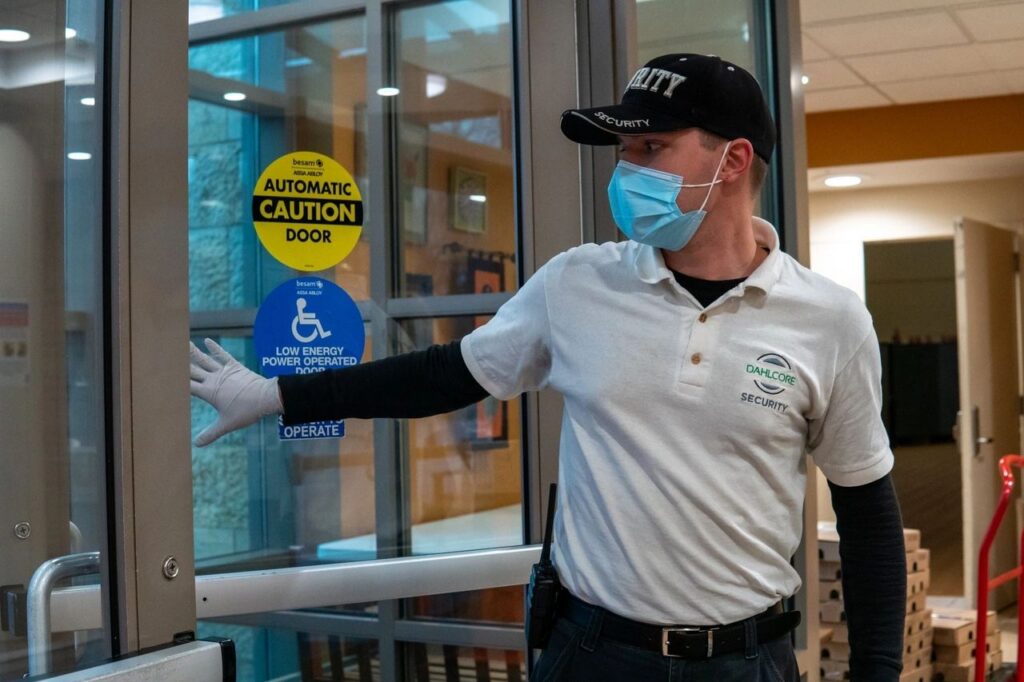
Security Teams and Concierge Staff
- Use the system as part of a broader apartment access control and visitor management strategy.
- Depend on reliable door stations, audit trails, and integration with CCTV and alarms to respond quickly to incidents.
Must-Have Features for Apartment Video Intercoms
- High-definition video with night vision
- Clear, wide-angle video is essential for facial recognition and incident review.
- Two-way audio
- Residents must be able to speak with visitors and verify their reason for entry.
- Remote unlock / door release
- The system should support secure relay control for doors, gates, or turnstiles, triggered from a monitor or app.
- Cloud management and property dashboard
- A cloud dashboard lets staff manage the tenant directory, permissions, and device settings without on-site programming.
- Audit trail/entry logs
- Modern systems store time-stamped logs of calls, access events, and delivery PIN usage, often with photos.
- Access control integration
- The intercom should integrate with access control controllers, smart locks, or keyless entry systems for unified management.
Nice-to-Have Features
- Package and delivery PINs / one-time codes
Single-use or time-limited PINs allow couriers to access lobbies or package rooms while logging every event.
- Multiple entrances and gate support
Ideal for gated communities or large campuses with several doors and vehicle gates.
- Touchscreen tenant directory
A digital directory improves visitor experience and makes it easier to update resident names.
- Video clip recording and cloud archive
Cloud storage of door events supports investigations and resident peace of mind.
- LTE / 4G connectivity
Cellular/LTE options simplify retrofits where cabling or network drops are hard to reach.
Wired vs Wireless vs Cellular/LTE Intercoms
Connection Type Comparison
Wired
- Key advantages: Very stable, high-quality audio/video, not dependent on internet.
- Best use cases: Large properties with existing cabling or new construction that can run low-voltage wire.
Wireless (IP over Wi-Fi/Ethernet)
- Key advantages: Easier installation and upgrades, integrates with cloud dashboards and mobile apps.
- Best use cases: Retrofits, mid-rise buildings, and smart apartment projects needing fast deployment.
Cellular/LTE/4G
- Key advantages: No onsite network needed, ideal where Wi-Fi is unreliable.
- Best use cases: Gated communities, remote entrances, or older buildings without structured cabling.
Wired systems offer maximum stability and security, but can be expensive to retrofit in occupied buildings. Wireless and LTE-based systems reduce cabling costs and support modern app-based workflows, which suit most multifamily retrofits.
Costs and Ownership Model
When budgeting for a multifamily intercom or apartment video intercom system, plan for three cost categories.
- Hardware: Door stations, interior monitors (if used), controllers, and any access control readers.
- Installation/retrofit: Cabling (for wired), power, network configuration, and mounting hardware.
- Ongoing cloud or service fees: Monthly or annual charges per door or per unit for cloud management, mobile apps, and video storage.
Cloud-based ownership models shift more costs into predictable subscriptions but reduce on-site servers and maintenance.
Common Mistakes to Avoid
- No tenant directory governance
- Allowing outdated or generic names in the directory creates confusion and security gaps.
- Weak PIN or code policies
- Reusing delivery codes or sharing static door codes increases the risk of unauthorized entry.
- No audit logs or reporting
- Without detailed logs, it is hard to investigate incidents or prove compliance.
- Poor camera placement and lighting
- Mounting the door station too high, too low, or in low light makes visual verification difficult.
Recommended Configuration by Building Type
Small Walk-Up (no concierge)
- 1–2 door stations with video and app-based calling.
- Cloud directory, mobile unlock, and delivery PINs for package access.
Mid-Rise With Lobby
- Main lobby video door entry system plus secondary entrances tied into the same tenant directory.
- Integration with access control panels, CCTV, and a property security management dashboard.
Gated Community / Multi-Entrance
- Gate-mounted video intercom plus lobby or building door stations, all feeding a unified cloud platform.
- LTE or 4G connectivity at remote gates where cabling is difficult.
Delivery and Package Access
Dedicated delivery PINs and one-time codes help solve missed deliveries and package theft in apartment buildings.
- Property managers create unique, single-use, or time-limited codes for couriers in the cloud dashboard.
- Couriers enter the code at the door station or package room intercom to unlock the door and drop off packages, with each event logged.
- Residents receive notifications when a delivery arrives and can review time-stamped photos in the app.
Selection Criteria for Apartment Video Intercoms
Video quality
- What to look for: HD, wide-angle, night vision.
- Why it matters: Clear identification and evidence.
- Who benefits: Residents, security
Connectivity
- What to look for: Wired, Wi-Fi, or LTE appropriate for the building.
- Why it matters: Reliability and retrofit cost.
- Who benefits: Managers, IT
Cloud management
- What to look for: Web dashboard, remote updates, user management.
- Why it matters: Easier administration and scalability.
- Who benefits: Managers, HOAs
Access control integration
- What to look for: Support for door strikes, gates, and existing controllers.
- Why it matters: Unified access policy.
- Who benefits: Security, managers
Delivery & package features
- What to look for: Delivery PINs, package room access, notifications.
- Why it matters: Reduced theft and missed deliveries.
- Who benefits: Residents, managers
Audit trail & reporting
- What to look for: Time-stamped logs, photos, exportable reports.
- Why it matters: Incident response and compliance.
- Who benefits: Security, owners
Mobile experience
- What to look for: iOS/Android apps, push alerts, remote unlock.
- Why it matters: Convenience and adoption.
- Who benefits: Residents

Installation and Retrofit Notes
- DIY vs professional installation
Wireless and some LTE-based systems can be installed with minimal cabling, but multi-door or wired systems usually require professional low-voltage installers.
- Existing infrastructure
Evaluate current intercom wiring, network closets, and power availability to decide between wired, wireless, or hybrid upgrades.
- Future scalability
Choose systems that can add more doors, units, or package rooms as the property grows.
Security and Privacy Considerations
- Data protection and encryption
Prefer vendors that encrypt video streams, credentials, and cloud data in transit and at rest.
- Access controls and roles
Property management dashboards should support role-based access for staff and vendors.
- Retention policies
Set clear retention periods for video clips and logs to balance evidence needs with privacy and storage cost.
How We Evaluate Intercoms for Apartments
- Resident usability and mobile experience.
- Integration depth with access control, CCTV, and package solutions.
- Network and power requirements for new builds vs retrofits.
- Total cost of ownership, including hardware lifespan and subscription fees.
If You’re A Property Manager…
- Focus on systems with strong cloud dashboards, robust audit trails, and easy directory management.
- Prioritize integration with your existing access control, package room, and CCTV systems.
If You’re a Resident…
- Look for video intercoms that support mobile apps, clear video, and reliable notifications.
- Ask about delivery PINs, package room access, and how long your building keeps video logs.
Decision Checklist
- Building type and number of entrances are defined.
- Wired vs wireless vs LTE chosen based on retrofit constraints.
- Must-have features (HD video, two-way audio, remote unlock, cloud dashboard, audit logs) confirmed.
- Delivery and package access features (PINs, package room) included.
- Access control and security system integrations verified.
- Transparent costs for hardware, installation, and ongoing cloud fees are documented.
FAQ
How does an apartment video intercom system work?
A video intercom lets visitors call residents from a door station, then streams audio and video to a tenant device or app so the tenant can speak with the visitor and unlock the door remotely.
Can residents unlock the door from their phone?
Yes, many multifamily video intercom systems send calls to smartphone apps that allow residents to see the visitor and trigger remote door release from anywhere with an internet connection.
How do delivery PINs and one-time codes work?
Property staff or residents generate single-use or time-limited delivery PINs in the system dashboard, couriers enter the PIN at the door station to gain access, and each use is logged with time and often a photo.
What’s better for apartments: wired or wireless intercom?
Wired systems are more stable and secure but more disruptive to retrofit, while wireless and LTE systems are easier to install and pair well with cloud management and mobile apps, which suits most apartment buildings.
Can a video intercom integrate with existing access control?
Yes, many modern intercoms connect to door strikes, gate operators, access control panels, and even package rooms to provide unified visitor and resident access management.
Check other blogs:
The Evolving Landscape of Construction Site Security
Fire Guard for Torch Operations: Ensuring Safety and Compliance
Best Security Monitoring Systems for Business: Top Solutions
