


Last updated: January 8, 2026
CCTV cameras capture video footage and transmit it to private monitors and recording devices, creating a closed-loop security system that doesn’t broadcast publicly. Unlike regular television, CCTV operates on a closed circuit—meaning the signal stays within your private network, making it ideal for security monitoring in commercial and residential spaces. This guide breaks down exactly how CCTV technology works, its core components, and what you need to know before installation.
CCTV Definition: Understanding Closed-Circuit Television
CCTV stands for Closed-Circuit Television, a private surveillance system that uses video cameras to monitor specific areas. The technology converts light into electronic signals through camera sensors, creating a visual representation of the monitored area that only authorized personnel can view.
Key Takeaway Box: CCTV differs from broadcast TV in three critical ways: (1) signal transmission is limited to a private network, (2) access is restricted to authorized users, and (3) the primary purpose is security monitoring rather than entertainment.
The Evolution from Analog to Digital
CCTV technology has evolved from grainy black-and-white analog systems to today’s high-definition digital networks. The shift from analog to IP (Internet Protocol) cameras marked a pivotal advancement, offering clearer images, easier storage, and rapid footage retrieval. Modern IP cameras support high-definition resolutions up to 4-5 megapixels, while standard analog cameras generally provide lower resolution.
How CCTV Systems Work: The 3-Step Process
CCTV operates through a continuous workflow: cameras capture images, transmit signals through cables or wireless networks, and recording devices store the footage for later viewing.
Step 1: Image Capture
Cameras use CMOS or CCD sensors to convert light into electrical signals. Higher resolution cameras capture more detail, which is essential for identifying subjects and reading license plates. The frame rate, measured in frames per second (fps), affects video smoothness—higher rates provide smoother footage.
Step 2: Signal Transmission
Analog systems transmit video directly over coaxial cables to DVRs. IP cameras convert video into data packets for transmission over Ethernet networks, enabling remote access and advanced analytics. Power over Ethernet (PoE) technology allows a single cable to transmit both data and power, simplifying installation.
Step 3: Storage & Remote Viewing
Recording devices compress video using H.264 or H.265 standards to reduce file size without significant quality loss. Storage options include local hard drives in DVRs/NVRs or cloud solutions that offer scalable, remote access. Network connectivity enables users to view live or recorded footage from anywhere via mobile apps or web portals.
Visual Workflow: Camera sensor → Coaxial/Ethernet cable → DVR/NVR recorder → Monitor/mobile app.
CCTV System Components Breakdown
Cameras: Types and Features
CCTV systems incorporate various camera types tailored for specific environments:
- Analog cameras: Traditional, cost-effective option with lower resolution
- IP cameras: Digital cameras providing high-quality video, remote access, and smart features
- Dome cameras: Discreet design suitable for indoor spaces
- Bullet cameras: Ideal for outdoor use with long-range visibility
Essential Features:
- Resolution: IP cameras offer HD quality for detailed recognition
- Night vision: Infrared LEDs enable 24/7 surveillance in complete darkness
- Motion detection: Built-in analytics trigger alerts for unusual activity
- Field of view: Wide or narrow angles, depending on coverage needs
Recording Devices: DVR vs NVR
DVR (Digital Video Recorder): Used with analog cameras, converting analog signals to a digital format for local storage. Best for systems requiring direct physical access and cost-effective solutions.
NVR (Network Video Recorder): Designed for IP cameras, recording digital video streams directly from the network. Offers greater flexibility, remote access capabilities, and supports advanced analytics like facial recognition and people counting.

Monitors & Video Management Software
Display units range from standard computer monitors to professional security-grade screens. Video management software enables multi-camera views, motion detection alerts, and remote access through desktop or mobile applications.
Cabling & Power Supply
- Coaxial cables: Durable, transmit analog signals over long distances without quality loss
- Ethernet cables: Used for IP systems, support PoE technology for single-cable data and power transmission
- Installation considerations: Cable conduits protect against physical damage and electromagnetic interference
Analog vs IP CCTV Systems: Key Differences
Video Quality
- Analog CCTV Systems: Lower resolution, up to 4-5MP max
- IP CCTV Systems: High-definition, superior detail for facial recognition
Transmission
- Analog CCTV Systems: Coaxial cables to DVR
- IP CCTV Systems: Ethernet network to NVR
Smart Features
- Analog CCTV Systems: Limited, requires external systems
- IP CCTV Systems: Built-in AI analytics, motion detection, facial recognition
Remote Access
- Analog CCTV Systems: Not available without network-enabled DVR
- IP CCTV Systems: Native remote viewing via mobile/web apps
Scalability
- Analog CCTV Systems: Limited by DVR input ports, cumbersome expansion
- IP CCTV Systems: Easily add cameras without infrastructure changes
Cost
- Analog CCTV Systems: Lower initial cost ($130-$260 per camera)
- IP CCTV Systems: Higher upfront investment ($325-$650 per camera)
Bandwidth
- Analog CCTV Systems: Minimal network impact
- IP CCTV Systems: Requires strong network infrastructure
Which Should You Choose? IP systems cost more initially but offer future-ready scalability and intelligent features, making them ideal for businesses wanting high-quality, flexible surveillance. Analog remains viable for budget-conscious residential applications with basic monitoring needs.
CCTV Applications Across Industries
Commercial Security & Retail
CCTV deters criminal activity and provides valuable evidence for incidents. Retail stores analyze customer behavior and foot traffic patterns while preventing shoplifting.
Construction Site Monitoring
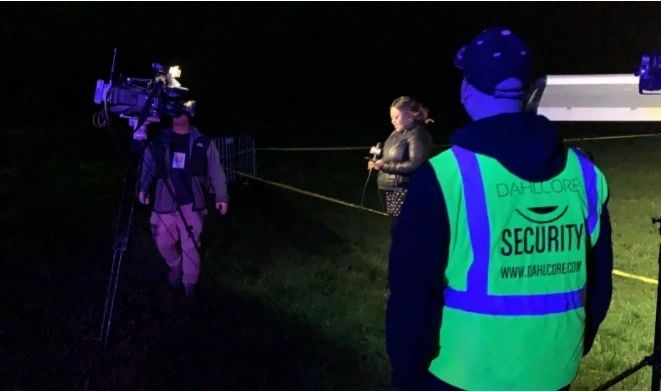
Dahlcore’s portfolio includes securing construction sites where CCTV monitors equipment, materials, and worker safety 24/7. Remote video surveillance prevents theft and ensures compliance with safety protocols.
Traffic Management
CCTV cameras monitor traffic flow, identify congestion points, and assist in accident analysis to improve road safety measures.
Industrial & Hospitality
In industrial settings, CCTV ensures production process safety and efficiency. Hotels and dispensaries benefit from discreet monitoring that protects guests and assets while maintaining privacy compliance.
CCTV Installation: Step-by-Step Guide
1. Planning Your Surveillance Needs
Assess which areas require monitoring and the level of detail needed. Consider camera placement, coverage angles, and whether you need wired or wireless transmission.
2. Choosing the Right Equipment
Select cameras based on environment—dome cameras for indoor discretion, bullet cameras for outdoor long-range visibility. Determine storage requirements: local DVR/NVR vs. cloud solutions.
3. Professional Installation Process
- Site survey: Evaluate lighting conditions, cable routes, and power sources
- Cable installation: Use conduits to protect against damage and interference
- Camera mounting: Position for optimal field of view and night vision coverage
- System configuration: Set up recording schedules, motion detection zones, and remote access
- Testing: Verify all cameras, recording quality, and remote viewing functionality
Installation Checklist:
- Conduct a thorough site assessment
- Choose appropriate camera types for each location
- Plan cable routes with protective conduits
- Configure DVR/NVR recording settings
- Test remote access on mobile devices
- Train staff on system operation
CCTV Costs & What’s Included (2026 Pricing)
Commercial Security Camera Installation Costs
The average commercial security camera installation costs $4,000 to $9,000 for a basic system, while high-end feature-rich systems can exceed $10,000. For a 25,000 sq ft facility, costs range from $78,000 to $169,000 ($3.12-$6.76 per square foot).
Cost Breakdown by System Size:
- Small business (4-6 cameras): $1,200-$2,700 total
- Large commercial (16+ cameras): $4,400-$12,000 total
- Per camera cost: $700-$1,500, including installation
Factors Affecting Cost:
- Camera type (analog vs IP vs PTZ vs thermal)
- Installation complexity and cable routing
- Storage capacity and retention requirements
- Advanced features like AI analytics and remote monitoring
Dahlcore’s Approach: We provide transparent quotes tailored to your specific security needs, with no hidden fees. Contact us for a free site assessment and detailed pricing breakdown.
Troubleshooting Common CCTV Problems
No Signal Issues
Causes: Loose connections, cable damage, power supply failure
Solutions: Check all cable connections, inspect for physical damage, verify power supply voltage, and test cameras individually to isolate faulty equipment
Poor Night Vision Quality
Causes: Dirty lens, insufficient infrared LEDs, incorrect camera settings
Solutions: Clean camera lenses regularly, ensure IR LEDs are functional, adjust night mode sensitivity settings, and consider adding supplemental lighting
Storage & Recording Problems
Causes: Hard drive failure, insufficient storage capacity, incorrect recording settings
Solutions: Replace faulty hard drives, calculate storage needs based on camera count and retention period, verify recording schedules and motion detection zones are properly configured
Future of CCTV: AI & Smart Analytics
The AI CCTV market was valued at $14.79 billion in 2023 and is projected to reach $63.68 billion by 2030, growing at a 21.3% CAGR. By 2025, an estimated 30% of cameras will incorporate AI capabilities.
AI-Powered Innovations:
- Real-time analytics: AI algorithms analyze video feeds instantly, reducing response time by 25% and improving threat identification accuracy by 20%
- Predictive analysis: Machine learning identifies patterns to predict potential security threats before they occur
- Edge computing: Processes data locally, reducing bandwidth requirements and latency for faster event notification
- Advanced recognition: Facial recognition, person re-identification, and intrusion detection become standard features
Integration with 5G: The convergence of AI-powered CCTV with 5G connectivity enables real-time processing at the edge, transforming passive recorders into active, intelligent sensors.
Frequently Asked Questions
What’s the difference between CCTV and regular TV?
CCTV operates on a closed, private network for security monitoring, while broadcast TV transmits signals publicly for entertainment. CCTV signals are not openly transmitted, ensuring privacy for monitored areas.
Do CCTV cameras work without internet?
Yes, analog CCTV systems work without internet, transmitting directly to DVRs via coaxial cables. IP cameras can also operate on local networks without internet access, though remote viewing requires network connectivity.
How long does CCTV footage last?
Storage duration depends on capacity and recording settings. Modern systems with efficient encoding can store footage for several weeks to months. Commercial systems typically retain 30-90 days of footage.
Can I access CCTV footage remotely?
Most modern IP systems offer remote access via smartphones, tablets, or computers with an internet connection. Analog systems require network-enabled DVRs for remote viewing capabilities.
What does CCTV stand for?
CCTV stands for Closed-Circuit Television, a private surveillance system using video cameras to monitor specific areas.
How much does commercial CCTV installation cost?
Commercial systems typically cost $4,000-$9,000 for basic setups, with high-end systems exceeding $10,000. Per-camera costs range from $700-$1,500, including installation.
Check other blogs
What is Dynamic Access Control: Unlocking the Future of Security
What is Internet Surveillance? Understanding its Implications
