

The best storage and warehouse security systems use layered protection: controlled access, verified identity, monitored alarms, and recorded video backed by clear procedures. For most New York facilities, the winning mix is electronic access control, CCTV with remote monitoring, intrusion and perimeter detection, strong lighting, and documented visitor and contractor rules. Choose systems based on your threat level, inventory value, site layout, and staffing model so security improves operations without slowing shipping and receiving.
What are the Best Storage And Warehouse Security Systems in New York, and What Should you Install First?
If you run a facility in New York, security isn’t just a “nice extra.” It’s often the difference between a smooth week and a costly mess—missing pallets, broken gates, angry tenants, and insurance headaches.
The trick is not hunting for one “magic” device. It’s building layers that work together: deter, detect, delay, respond, and recover. When one layer slips (a camera gets blocked, a door sensor fails, a staff member forgets a rule), another layer catches the problem before it turns into a full-blown incident.
What’s the best overall warehouse security setup in New York?
The best warehouse security setup is layered: electronic access control for every entry, CCTV covering docks, aisles, and exits, intrusion alarms on doors and vulnerable points, bright exterior lighting, and a monitoring plan (on-site, virtual, or central station). The strongest programs add visitor policies and incident procedures so technology turns into consistent action every day.
WAREHOUSE Layers Model: How New York Sites Stay Secure
Designing your system around this WAREHOUSE Layers Model makes it much harder for threats to slip through unnoticed at any point.
Perimeter → Entry → Zones → High‑Value → Monitoring
- Perimeter: Fences, gates, yard lines, exterior cameras, and lighting that make it hard to approach unnoticed.
- Entry: Doors, docks, elevators, and turnstiles with access control so only the right people get in.
- Zones: Offices, main aisles, stairwells, and interior corridors with clear camera coverage and movement paths.
- High‑Value: Cages, tool rooms, electronics, and easily resold inventory with restricted access and tight audit trails.
- Monitoring: Cameras, alarms, remote guarding, and system health checks that tie the whole system together so alerts are seen and acted on.
Security works best when you treat your site as a set of layers instead of a single line of defense. Start at the perimeter (fences, gates, exterior cameras, and lighting), then harden entry points (doors, docks, elevators), then control interior zones (offices, aisles, stairwells), then lock down high-value cages, and finally protect the cyber and operational layer that ties it all together. When every layer can detect problems and hand them off to the next, it becomes much harder for anyone to slip through unnoticed.
One more New York reality: operations are fast, space is tight, and sites are busy. That means your system has to fit real-life—shift changes, deliveries, contractors, and those “we’ll be done in five minutes” dock moments that turn into open doors for an hour.
New York Risk Snapshot
New York facilities often face a mix of street-level trespassing and organized theft—especially where yards, trucks, and high-value goods overlap. Sites in the NYC boroughs, Nassau/Suffolk, and Westchester also tend to deal with heavier traffic and more “unknown faces,” so identity and access control matter.
Warehouse security works best in layers: perimeter, doors, interior zones, and high-value areas. Cameras record what happens, access control prevents unauthorized entry, alarms alert your team, and procedures make responses consistent. When those pieces work together, incidents drop, and investigations get faster.
What your security system is really fighting
New York storage and warehouse sites face both external and internal threats: opportunistic trespassers, organized cargo theft crews, and dishonest insiders with legitimate access. Typical incident patterns include tailgating through doors and gates, after-hours yard wandering, tool and equipment theft from docks, and inventory “disappearing” between receiving and shipping. Your system has to account for theft, vandalism, trespass, and basic life safety risks like blocked exits, not just “catching someone on camera.”
Then there’s weather. Ice, snow, and freeze-thaw cycles don’t just make driving risky—they can ruin camera views, mess with gate sensors, and cause lighting failures right when you need visibility most. If you’ve ever watched a camera feed during a wet snowstorm, you know how quickly “good enough” becomes “useless.”
Finally, don’t ignore cyber risk. Cameras, recorders, and door controllers live on networks now, and that brings big convenience—plus new ways for things to break.
How to Pick the Right Systems for Your Facility
Before you choose brands or features, match the system to the building. Consider facility size and ceiling height, aisle layout and racking, number and type of dock doors, outdoor yards or parking areas, and how reliable your power and internet connections are. If your WMS or ERP already tracks inventory tightly, prioritize access control, cameras, and audit trails that integrate cleanly with those tools instead of bolting on a separate, siloed platform.
Solution 1: AI cameras + Real-Time Alerts
What Cameras Work Best in Warehouses, Considering Lighting, Ceiling Height, and Coverage?
Warehouse security cameras do more than record theft after the fact. The right mix of fixed and AI-enabled cameras helps you spot suspicious behavior at docks, cages, and yard gates in real time. When those alerts go to a supervisor, virtual guard, or central station, you turn passive footage into active protection.
A basic camera records evidence. A smarter system helps you respond while the problem is happening.
Modern CCTV and IP camera systems usually record to an NVR or VMS, which lets you search by time, camera, or event type instead of scrubbing hours of footage by hand.
For New York sites, the best “bang for your buck” camera moves are:
- Cover chokepoints first: front door, office, loading docks, main yard lanes, and any gate people can slip through.
- Use AI alerts where it matters most: fence lines, back corners, and after-hours zones.
- Pair wide shots with close shots: wide shots show what happened; close shots show faces, labels, and actions.
Also, think about your day-to-day: you don’t need 200 alerts. You need 5 alerts that are actually real. That’s why person/vehicle detection and line-crossing rules are so helpful.
In busy forklift aisles, poor mounting can cause shaky or blurred footage whenever vehicles pass. Use sturdy, vibration-resistant mounts on racking and poles, then record short test clips during active shifts to confirm that the video remains clear while forklifts are moving and pallets are being handled.
Best for:
- New York warehouses with busy docks and frequent deliveries.
- Self‑storage sites need clear evidence for tenant disputes and claims.
- Yards and fence lines where after‑hours wandering has been a recurring problem.
Common mistakes:
- Turning on too many alerts so staff start ignoring notifications.
- Relying on wide overview shots only and skipping close‑up views of faces or labels.
- Forgetting to adjust camera angles and analytics after racking or yard layouts change.
What’s the best camera approach for tall warehouse ceilings?
For tall-ceiling warehouses, prioritize higher-resolution IP cameras, the right lens selection, and deliberate placement to avoid aisle glare and blind spots. Focus on docks for license plates and faces, high-value cages, and emergency exits. Combine those cameras with sufficient lighting so the video stays usable at night and during power-saving modes.
A useful competitor angle (and a real-world gotcha) is that access control logs can be wrong if people share codes or use someone else’s fob; one warehouse security guide calls out that access control alone can’t guarantee the person entering matches the user in the system, and recommends pairing access events with video verification to close that gap.
Solution 2: Access Control That Fits Shift Work
Which Access Control Method is Best for Warehouses: Keycards, Mobile Credentials, or Biometrics?
Access control prevents unauthorized entry by requiring a badge, mobile credential, or biometric check at each door. The best setups also restrict access by role and log every entry attempt. That audit trail supports investigations, HR decisions, and compliance reviews, and it reduces credential sharing when employees leave or change roles.
Access control should match how your team works, not how a perfect textbook warehouse works.
Access control for warehouses often uses role-based access control (RBAC) with badges, PIN keypads, or mobile credentials tied to each person instead of shared keys. For higher-risk rooms or cages, some facilities add biometrics as an extra step, especially where a lost or loaned badge would create serious exposure.
Do warehouses need access control if they already have cameras?
Yes. Cameras show what happened, but access control helps prevent problems by restricting who can enter specific doors and zones and by logging every credential use. When you combine both, you can deter unauthorized access, investigate quickly with timestamps, and reduce credential sharing with role-based permissions that match each job.
Here’s what tends to work well in New York operations:
- Role-based access: office staff, warehouse staff, drivers, and contractors don’t need the same doors.
- Time-based rules: contractor access only during approved windows, not “anytime.”
- Visitor flow: temporary credentials + escort rules for non-employees.
- Tailgating prevention: not just hardware—signage, training, and “one badge, one person” culture.
If you’re operating multiple sites across the state, pick a system that makes it easy to remove access fast. In busy markets, turnover happens, and the fastest security upgrade is often just better offboarding.
Remember that access control logs only show which credential was used, not which person walked through. To reduce tailgating and badge sharing, pair each controlled door with a nearby camera view and train staff on “one badge, one person” expectations. Regularly review logs and footage after incidents so everyone understands that the system is actively checked.
Best for:
- Multi‑shift warehouses in NYC with constant driver and contractor turnover.
- Multi‑site operators who need to revoke access quickly across several locations.
- Facilities with sensitive cages, tool rooms, or compliance‑heavy rooms.
Common mistakes:
- Giving everyone the same level of access “because it’s easier.”
- Never audit badges, PINs, and roles after staff changes.
- Installing access control without any nearby cameras to verify who actually used the door.

Solution 3: License Plate Recognition (LPR) at Gates
LPR is one of those upgrades that feels “fancy” until you use it once—then you don’t want to go back.
In New York, LPR is especially handy for:
- Proving who entered and when during tenant disputes (self-storage).
- Sorting out delivery arguments (“the truck was never here”).
- Connecting suspicious vehicles to repeated late-night drive-bys.
When LPR events are linked to gate operators and your access control or visitor management system, you get a cleaner chain of custody showing which vehicle, credential, and video clip all match the same event.
Best practices:
- Put LPR where vehicles slow down (entry/exit).
- Add an overview camera too (plates don’t show faces or behavior).
- Set clear retention rules so you’re not guessing later.
If your gate is your weak point, LPR can help turn it into your strongest point.
Solution 4: Perimeter Security for Yards and Lots
How Do Perimeter and Intrusion Detection Systems Reduce Warehouse Break-Ins?
Perimeter and intrusion detection systems are designed to catch problems early, before intruders reach your pallets or high-value cages. Fence sensors, beams, and door contacts generate alerts when someone tries to slip in or force access. When those alerts tie into cameras and a clear response plan, you get fewer false alarms and faster decisions.
If someone can reach your building without being seen, you’re giving them time. Perimeter security is all about stealing that time back.
A practical perimeter stack looks like this:
- Physical barrier: a fence and a gate that aren’t easy to climb or cut.
- Detection: beam sensors, fence vibration, or area radar (depending on the site).
- Confirmation: cameras aimed down the fence line, not just at the driveway.
- Response: a plan for who checks the alert and what “verified” means.
For NYC-area yards, pay attention to “visual clutter.” Parked trailers, stacked pallets, and dumpsters can create hiding spots and blind zones. Move clutter away from fence lines when you can, and don’t be shy about adding a camera pole if it fixes a chronic dead corner.
Best for:
- New York warehouses and 3PLs with outdoor storage, trailers, or container yards.
- Sites near highways or industrial corridors with higher cargo theft risk.
- Facilities that want earlier detection before intruders reach dock doors or cages.
Common mistakes:
- Relying on a fence alone without cameras or detection along the fence line.
- Letting parked trailers, dumpsters, or pallets create blind spots against the perimeter.
- Sending staff outside to check every alert instead of verifying events with video first.
You can replicate this simple “Best for / Common mistakes” pattern for the remaining solutions (LPR, lighting, intrusion alarms, remote guarding, high‑value zones, dock doors, cybersecurity).
Perimeter beams, fence sensors, and gate intercoms are most effective when they feed into the same alarm panel and monitoring workflow as your interior intrusion sensors.
Solution 5: Lighting Designed for New York Winters
Lighting is the unglamorous hero of security. It helps people feel safe, helps cameras capture details, and makes intruders feel exposed.
Warehouse and yard lighting plans often use a mix of photocells, timers, and motion-triggered LEDs so critical areas stay predictable while still saving energy.
In New York, design lighting for:
- Early darkness in winter (more hours where lighting matters).
- Snow glare (avoid aiming lights directly into camera lenses).
- Salt/corrosion near roads and lots (choose outdoor-rated fixtures and mounts).
- Backup power for critical zones (even short outages create perfect blind spots).
A simple win: motion-triggered LEDs at gates, docks, and long exterior walls. It saves energy and improves attention—people notice lights that “wake up.”
In New York winters, snow, ice, and wet lenses can quickly ruin otherwise good camera views. Aim fixtures so they do not shine directly into camera lenses, choose housings rated for outdoor use, and plan maintenance to clear snow, ice, or cobwebs from critical views after major weather events.
Solution 6: Intrusion Alarms + Verified Response
How Do Perimeter and Intrusion Detection Systems Reduce Warehouse Break-Ins?
Alarms are still useful, but only when they’re planned well. The goal is to reduce “nuisance” alerts while increasing true detection.
What to prioritize:
- Door contacts on key doors (office, cages, man-doors, dock service doors).
- Motion detectors in sensitive indoor areas after hours.
- Panic buttons in office/cash-handling areas (self-storage) or dispatch desks (warehouse).
A typical intrusion system includes an alarm panel, door contacts, glass-break sensors near vulnerable windows, motion sensors in open interior areas, and clearly documented alarm codes and user permissions.
Now the important part: verification. When you can confirm an event with video (or at least multiple signals), you avoid wasting time and reduce false dispatch problems.
A warehouse security guide notes that a modern warehouse security system includes more than cameras—it often includes access control, alarm systems, inventory systems, and other physical measures working together. That “system thinking” is what makes alarms worth it again.
Solution 7: Remote Guarding + Talk-Down
When Should You Use Security Guards Versus Virtual Guard Monitoring at a Warehouse?
Remote guarding is a strong fit for New York because guard hours can get expensive fast, especially for 24/7 coverage.
A good remote guarding setup includes:
- Live view + recorded clips for verification.
- Two-way audio (“talk-down”) for real-time deterrence.
- Clear SOPs: what to say, when to escalate, who gets called first.
Virtual guard services essentially combine remote CCTV monitoring with scripted talk-down and incident reporting, so you get many of the benefits of on-site guards without full-time headcount on every shift.
It’s not about yelling at people all night. It’s about stepping in early, before someone has time to cut a lock, load a truck, or smash a door.
Most New York facilities end up with a hybrid monitoring model instead of one single approach. Daytime activity is usually watched in-house by managers and supervisors, while after-hours alarms and camera events go to a central station or virtual guard service, with on-site guards reserved for the highest-risk sites or neighborhoods.
Solution 8: High-Value Zones (Cages + Tracking Discipline)
What Policies Stop Internal Warehouse Theft Without Hurting Productivity?
If everything is “high value,” nothing is. The smarter move is to create inner zones.
Common high-value zone controls:
- Security cages for electronics, tools, and easily resold items.
- Separate access permissions for cage doors.
- Tracking discipline: barcode/RFID scans and spot audits.
Linking cage access events to your WMS or ERP and to matching camera clips helps you maintain a clear audit trail and chain of custody for high-risk items.
This is also where inside theft prevention gets real. If only a few people can access the cage—and every entry is logged and matched to video—you’ve raised the risk for bad actors and lowered your losses.
One warehouse security guide explains that warehouses face both internal theft and external theft, and emphasizes designing systems that address both categories rather than only perimeter threats.
Solution 9: Dock Doors, Roll-Ups, and “Propped Door” Prevention
Dock doors and yards are some of the highest-risk zones in any warehouse because they stay busy and open for long stretches. Simple upgrades like door position sensors, “door open too long” alerts, and clear lockup rules dramatically reduce losses. Add good lighting and camera coverage, and supervisors can quickly see whether late dock activity is normal or a potential theft.
Docks are busy, noisy, and full of excuses. That makes them a favorite target.
How do you secure dock doors and warehouse yards?
Secure dock doors with door contact sensors, camera views from multiple angles, controlled access for after-hours openings, and clear driver and visitor check-in rules. For yards, combine fencing, gates, lighting, and perimeter detection so you detect an approach early and can verify events with video before dispatching a response or sending staff outside.
Practical dock security improvements:
- Door position sensors on roll-up doors and man-doors.
- “Door open too long” alerts after hours (and sometimes during the day for restricted zones).
- Cameras that show both the dock plate and the trailer interior area.
- Strong lock hardware and clear responsibility: who checks and who closes.
Because docks are the highest-traffic zone, many warehouses treat them as their own security layer, with tighter camera coverage, door position sensors, and stricter key or credential control than in general storage aisles.
Also: build a habit. When teams switch shifts, do a quick “dock reset”—doors secured, cages locked, and yard lanes clear.
Solution 10: Cybersecurity for Cameras and Access Systems (New York SHIELD Mindset)
Security systems are connected systems now, so treat them like business systems.
Do the basics:
- Put cameras/access control on a separate network/VLAN.
- Use strong passwords and MFA wherever possible.
- Patch firmware on a schedule, not “when we remember.”
- Limit vendor remote access and log it.
Under New York’s SHIELD Act, businesses that hold private information about state residents are expected to maintain reasonable technical, administrative, and physical safeguards, which is a useful benchmark for how you treat access logs and video systems.
If you handle private information tied to New York residents, New York’s SHIELD Act requires maintaining “reasonable safeguards” to protect the security, confidentiality, and integrity of private information, and it describes safeguards while allowing small businesses to tailor controls to their size and complexity. Even if you’re not “a tech company,” that’s a solid standard to follow for any system that stores names, access logs, video clips, or tenant records.
Security systems depend on power and connectivity, so treat outages as a design requirement, not a surprise. Use UPS backups on NVRs, switches, and internet gear that support your cameras and access control. Whenever possible, configure local recording so cameras keep capturing video even if your network link or cloud platform goes down during a storm.
Keep the System Working: Testing and Maintenance
Even a well-designed security system fails if it quietly goes out of tune. Schedule regular checks for camera uptime and image quality, dead zones around docks and fence lines, credential and PIN audits, and alarm tests so you catch problems before an incident does. A simple quarterly walkthrough with a checklist and a short log of fixes will keep your investment earning its keep.
How to Choose the Right Mix for Your Site
Start with your biggest risks: stolen tools and equipment, missing pallets, after-hours trespass, or employee theft, then rank them from most painful to least. Match at least one control to each top risk, such as better dock cameras for shipping errors, tighter cage access control for shrinkage, or stronger gate and yard coverage for cargo theft near highways. Finally, stress-test your short list against your operations: if a control makes it harder to load trucks, receive goods, or serve tenants, redesign the workflow until security supports the work instead of fighting it.
What Security Systems Should Small, Mid-size, and Multi-site Warehouses Use?
For most New York facilities, the right security mix depends on size, layout, and how many sites you manage.
Small warehouse (10–20,000 sq ft)
A small warehouse typically starts with 10–12 cameras covering main entries, the office, primary aisles, dock doors, and any outdoor yard or parking area. Add simple role-based access control on exterior doors and any high-value room, plus a basic intrusion alarm on offices and dock doors. Exterior LED lighting at gates, walkways, and parking areas helps both cameras and staff feel safer after dark.
Mid-size warehouse (around 50,000 sq ft)
A mid-size warehouse usually needs 16–24 cameras, including dedicated views of dock lines, cage interiors, emergency exits, and exterior yard lanes. Centralized access control can separate permissions for office, warehouse staff, drivers, and contractors. Tie that into an intrusion alarm that uses door contacts, motion sensors in open areas, and panic buttons at office or dispatch desks. Strengthen the perimeter with better fencing, controlled gates, and at least one license plate recognition camera at the main entry.
Multi-site 3PL or distribution network
Multi-site operators benefit most from standardization and central management. Use similar camera layouts at each warehouse so audits and investigations follow the same playbook everywhere. Cloud-managed access control lets you add or remove users across locations from one console. Combine after-hours monitoring through virtual guarding or a central station, and add system health monitoring so you know quickly when any location loses cameras, power, or network connectivity.
How to Implement the System (How To)
Use this simple rollout plan so you don’t waste money.
- Walk the site like a thief: check fences, corners, doors, and where you can hide.
- Map your chokepoints: gate, office, docks, stairwells, elevators, and cage areas.
- Choose your “must-work” alerts: gate forced open, after-hours person in yard, door propped.
- Build response rules: who gets the alert, who checks the video, who calls police or a manager.
- Pilot and test: run it for 2–4 weeks, adjust alerts, then scale to the next building.
Here’s a quick “phased rollout” example you can copy:
Phase A
- What you install: Gate cameras + LPR, office camera, basic lighting fixes
- Why it’s first: Locks down the main entry story and improves evidence.
Phase B
- What you install: Dock cameras, door sensors, propped-door alerts
- Why it’s first: Protects the highest-traffic theft point.
Phase C
- What you install: Yard perimeter detection, remote monitoring/talk-down
- Why it’s first: Stops after-hours wandering and yard theft attempts early.
Phase D
- What you install: Cages + restricted access + audit routine
- Why it’s first: Cuts high-value shrink and inside loss.
New York Compliance Notes
If you hire guards in New York, remember that armed and unarmed security guards must register with the New York State Department of State (NYSDOS). New York also has defined training expectations; the NYSDOS training requirements page lists the 8-hour pre-assignment training, 16-hour on-the-job training within 90 days, and annual in-service training requirements for unarmed guards (with additional firearms-related training requirements for armed guards).
If you want one official place to start for guard training requirements, use this New York State Department of State page:https://dos.ny.gov/security-guard-training-requirements.
(Important note: always confirm your exact obligations with counsel and your insurer, especially if you operate in NYC and have special site rules.)
Storage vs. Warehouse Needs in New York
Self-storage usually wins by controlling entry: gates, tenant access logs, good lighting, and camera coverage of rows and hallway intersections. Warehouses usually win by controlling processes: docks, internal zones, cages, and accountability during receiving and shipping.
In New York, both types of sites benefit from the same big idea: make it easy to do the right thing. If your staff has to “fight the system” to get work done, they’ll bypass it—propped doors, shared PINs, and missing check-ins.

2025–2026 Trends You’ll Actually Use
A few trends are practical—not hype:
- Integrated access + video: pairing a door event with the matching clip so investigations take minutes, not hours.
- Verified alarms and smarter notifications: fewer false alarms, faster real responses.
- System health checks: knowing quickly when a camera goes offline or gets blocked, before an incident happens.
Also, one striking industry stat often cited is that warehouses are a primary target area for theft in supply chains; one warehouse security guide claims warehouses represent 40% of total cargo theft incidents. Even if your site isn’t “cargo,” that number is a loud reminder: warehouses and storage yards are high-interest targets.
FAQs about Best Storage and Warehouse Security Systems
How do I secure a warehouse after hours?
To secure a warehouse after hours, focus on locking down gates, docks, and high‑value zones with a mix of access control, intrusion alarms, and camera coverage tied to some form of active monitoring. At minimum, you want armed door and dock sensors, exterior and interior cameras on key aisles and cages, and either a central station or virtual guard service watching for real alerts instead of relying on “record only” video.
What’s the best security system for a warehouse with multiple dock doors?
For warehouses with multiple dock doors, the best systems treat the dock as its own security layer: door position sensors, “door open too long” alerts, and cameras that show both the dock plate and trailer area. Pair dock alarms and cameras with strong lighting and clear lockup procedures so supervisors can quickly verify whether a late‑day load, propped door, or open trailer is normal work or a potential theft.
How many cameras does a 50,000 sq ft warehouse need?
A 50,000 sq ft warehouse typically needs somewhere in the range of 16–24 cameras for solid coverage, depending on layout, ceiling height, and risk level. At a minimum, plan dedicated views for all main entries and exits, each dock line, high‑value zones or cages, critical aisles, and exterior yard or parking areas, then add extra cameras where blind spots or past incidents justify more detail.
RFID badges vs keypads for warehouse access: which is better?
RFID badges usually work well for medium to large warehouses that care about speed, audit trails, and easy deactivation, because each badge is tied to a person and can be quickly blocked if lost or if employment ends. Keypads are cheaper up front and avoid card or fob costs, but they tend to push people toward sharing codes, which weakens identity control and makes it harder to prove who actually opened a door.
How do I prevent internal theft in a warehouse?
Internal theft drops when you limit access by role, log every entry to high-value areas, enforce visitor and contractor procedures, and run routine cycle counts tied to camera review. Pair policy with practical friction, such as badge-only zones, two-person rules for sensitive cages, and documented incident escalation, so everyone knows what happens when something goes missing.
Virtual guard vs on-site guard—when to choose?
Virtual guard monitoring is often the better fit when you need 24/7 eyes on cameras, faster verification, and lower cost than full-time staffing, especially for after-hours alarms and perimeter alerts. On-site guards make more sense when you need physical intervention, tight visitor control, regular patrols, or a visible deterrent after repeated incidents.
How many cameras should Best Storage and Warehouse Security Systems include for a mid-size warehouse?
For a mid‑size warehouse, a good starting point is enough cameras to cover all entries, docks, key aisles, high‑value areas, and major blind spots, which often lands in the 10–20 camera range depending on square footage and layout. Treat this as a baseline: after an on‑site walk‑through, you may add or move cameras to tighten coverage around docks, cages, and exterior yard lanes where incidents or near‑misses are most common.
What’s the biggest mistake people make when buying Best Storage and Warehouse Security Systems?
The most common mistake is buying hardware first and never designing the response: who gets alerted, how they verify events, and what they do next. A slightly smaller system with clear alarm rules, camera views matched to those alarms, and a simple, written response playbook will usually outperform a bigger system that nobody has time to monitor or manage.
Cost and ROI in Real Terms
Instead of chasing the cheapest hardware, compare options against what they actually save you in loss, overtime, and headaches. A slightly more expensive access control or camera platform that reduces theft incidents, speeds up investigations, and simplifies audits will usually beat a bargain system that your team avoids or works around.
Warehouse Incident Report Template
Most New York warehouses handle incidents via email or text messages that are hard to track later. A simple, standard incident report makes it easier to investigate, spot patterns, and show insurers or law enforcement what actually happened.
Use this checklist as your basic incident report template:
- Incident details: Date, time, facility name, and exact location (dock door, aisle, cage, yard lane).
- People involved: Employees, contractors, visitors, and any witnesses with contact details.
- What happened: Clear description of the event, including how it was discovered and by whom.
- Systems to review: Cameras (which ones and time ranges), access control logs (door and credential), and alarm events.
- Impact: Items missing or damaged, downtime, safety issues, and any operational delays.
- Immediate response: Who was notified, what actions were taken on site, and whether police or fire responded.
- Follow‑up actions: Steps to prevent repeat incidents, hardware or policy changes, and who owns each action item.
You can offer this as a downloadable PDF or Google Doc from your site so managers and supervisors always have the same format to work from.
Access Control Audit Checklist
Even a strong access control system drifts over time as people change roles, leave, or start sharing shortcuts. A quick quarterly access audit keeps your doors, badges, and logs aligned with how your New York facility really runs.
Use this access audit checklist as a starting point:
- Doors and zones: List every door with access control and confirm which team (office, warehouse, drivers, contractors) should have access.
- Users and permissions: Remove badges or mobile credentials for former employees, temp staff, and vendors who no longer need entry.
- Shared credentials: Look for signs of code or badge sharing (door events outside shifts, multiple entries in seconds, suspicious patterns).
- Tailgating risks: Identify doors where “one badge, multiple people” happens often and consider signage, training, or turnstiles.
- Cameras per controlled door: Confirm that each critical access‑controlled door has a nearby camera view for verification.
- Log review: Decide who reviews access logs, how often, and what triggers a deeper review or HR follow‑up.
- Exceptions and overrides: Document any “always unlocked” doors, emergency overrides, or manual workflows so they don’t become permanent blind spots.
Offer this as a downloadable checklist so supervisors and security leads can walk the site with a tablet or printed copy.
Security and Compliance Disclosure
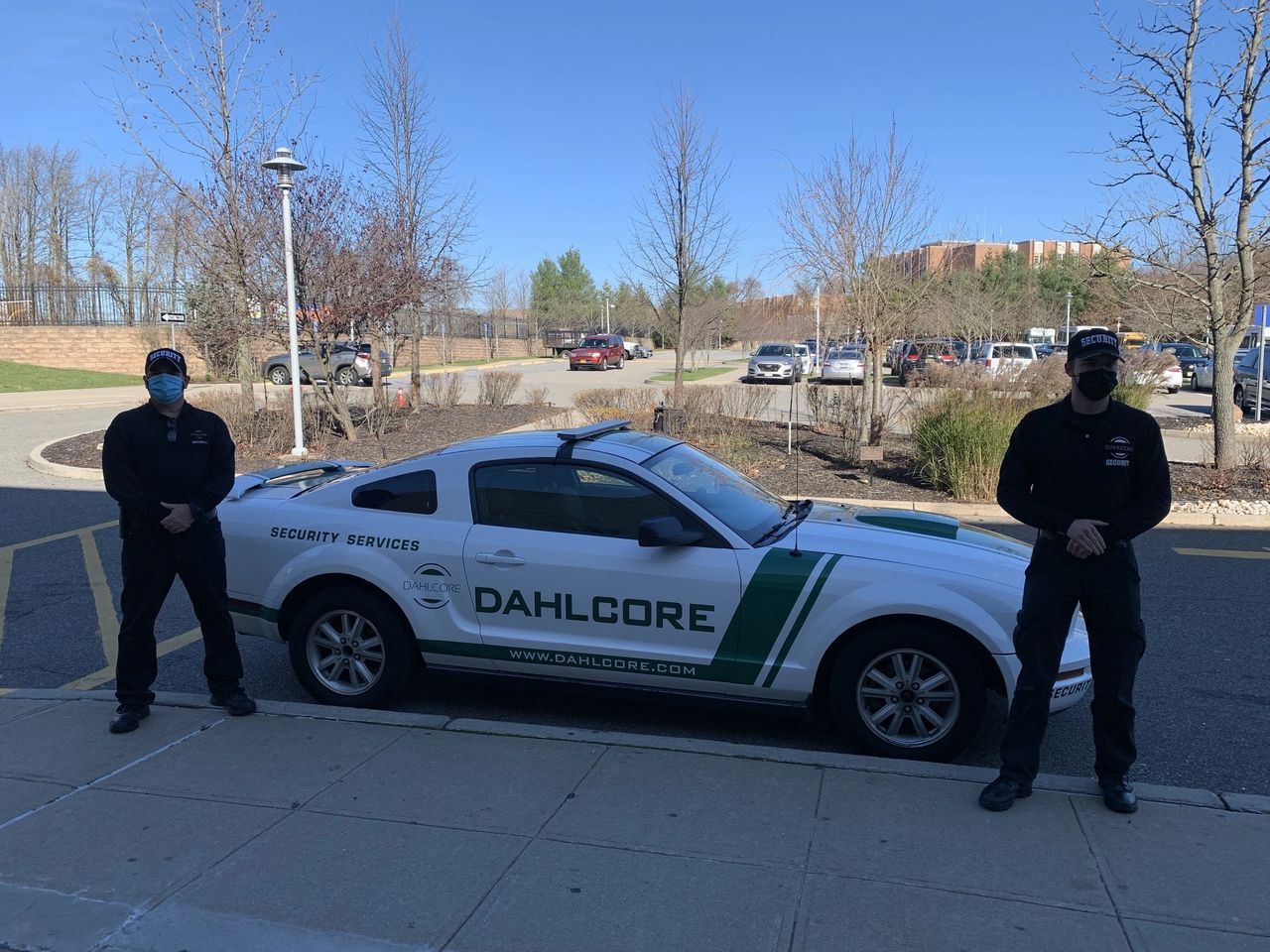
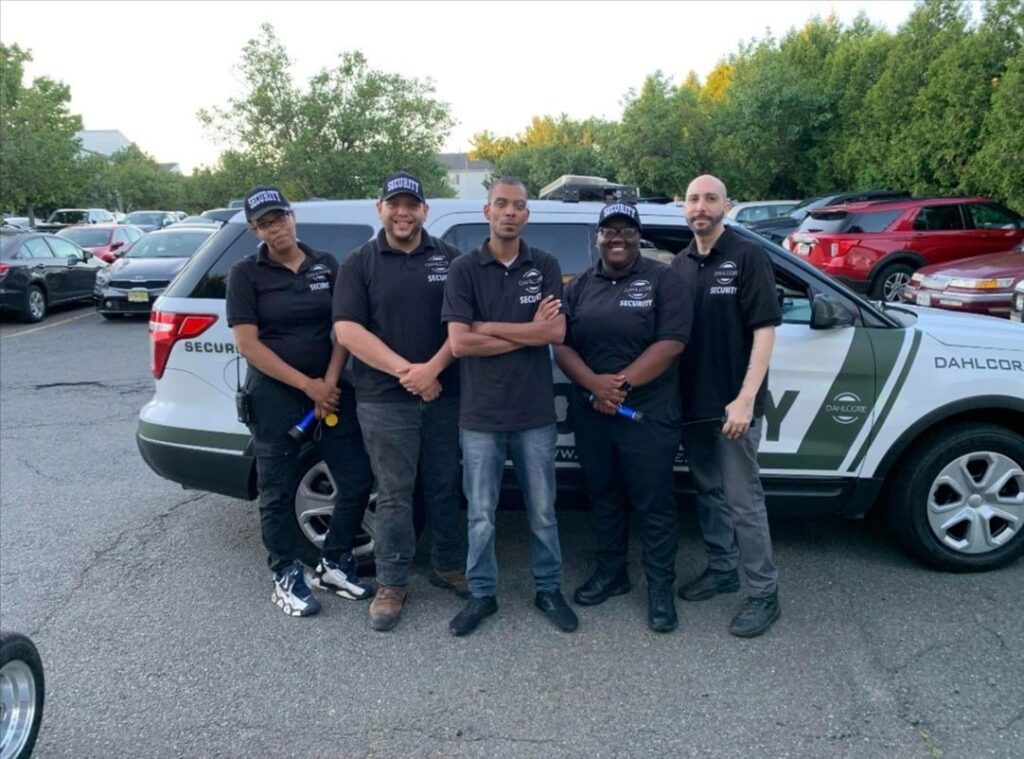
Dahlcore Security Guard Services provides storage and warehouse security design and installation services across New York, including NYC, Long Island, Westchester, and Upstate markets. We maintain appropriate licensing and insurance for alarm and low-voltage work where required. This guide is updated periodically to reflect current best practices and state-level requirements, but it is not legal advice. Always confirm specific obligations with your attorney and insurer, especially for NYC sites with additional rules.
Conclusion
New York sites don’t need the fanciest gadgets—they need a layered system that fits real work: busy docks, winter darkness, constant turnover, and tight schedules.
Get a free on-site security walkthrough (NYC, Long Island, Westchester, or Upstate).
Book a warehouse/security system audit and coverage map.
Request a phased upgrade quote (gates first, docks second, yard monitoring third).
Explore our other blog posts here
How to Detect GPS Tracking Devices in Your Car (What to Do Next)
Shopping Center Gate Security: Entry & Storefront Guide
Is East Orange, NJ Safe? The Most Dangerous & Safest Areas
How to Tell If a CCTV Camera Is On or Off at Night: 5 Techniques
