


A door that looks locked isn’t always secure. In today’s commercial properties, access control has moved well beyond physical keys and deadbolts. Keycard readers, biometric scanners, mobile credentials, and cloud-based management platforms now govern who gets in — and who doesn’t. But with that sophistication comes a new class of risk that many facility managers and property owners aren’t fully prepared for.
Navigating digital access control risks isn’t just an IT problem. It sits squarely at the intersection of physical security, cybersecurity, and operational management. Get it wrong, and you’re not just dealing with a hacked system — you’re dealing with unauthorized people inside your building.
At Dahlcore Security Guard Services, we work with commercial property owners and business executives to close the gap between digital vulnerabilities and real-world security outcomes. This guide lays out exactly what you need to know — from how these systems work, to where they break down, to how you fix it.
Why Digital Access Control Is Critical
Physical keys had one major flaw: you couldn’t control them once they left your hands. A copied key, a lost badge, a former employee who never returned their credentials — these weren’t just inconveniences; they were active security liabilities.
Digital access control systems changed that equation. Administrators can revoke credentials instantly, audit entry logs in real time, set time-based restrictions, and tie access permissions directly to job roles. For a commercial building with dozens or hundreds of employees, contractors, and vendors moving through daily, that level of control is essential.
The stakes are high. Unauthorized access to sensitive areas — server rooms, executive suites, warehouses, medical records storage — can result in data theft, equipment loss, regulatory violations, and serious safety incidents. A well-designed access control system is one of the most effective corporate security measures a business can implement. But only if the risks are understood and actively managed.
Understanding Digital Access Control Systems
Before you can protect a system, you need to understand how it works.
A digital access control system typically consists of three core layers:
1. Credentials
These are what users present to gain entry. They include:
- Keycards and key fobs (proximity or smart card technology)
- PIN codes entered on a keypad
- Biometrics — fingerprints, facial recognition, iris scans
- Mobile credentials — smartphones acting as digital keys via Bluetooth or NFC
2. Readers and Controllers
The reader captures the credential and sends it to a controller, which cross-references it against an access database. If the credential matches a valid, active permission, the door unlocks. This decision happens in milliseconds.
3. Management Software
This is where the system is administered. Managers add or remove users, set schedules, define which doors each person can access, and pull audit logs. Increasingly, this software is cloud-hosted, meaning it’s accessible remotely — but also potentially exposed to network-based threats.
Additional components may include door sensors, electric strikes or magnetic locks, intercoms, and video integration. When these systems are properly connected, facility managers get a comprehensive, real-time picture of who is where in their building.
Understanding this architecture is the first step toward identifying where digital access point vulnerabilities tend to appear.
Common Risks in Digital Access Control
Even well-designed systems have weak points. Here are the most common vulnerabilities facility managers and property owners need to watch for:
Credential Cloning and Theft
Older proximity cards (particularly low-frequency 125kHz cards) are notoriously easy to clone using inexpensive off-the-shelf devices. An attacker standing near someone in an elevator can silently copy their credentials without their knowledge.
Compromised Management Software
If your access control platform is cloud-based and protected only by a default or weak password, it becomes a target. A breach of the management software is arguably worse than picking a lock — it gives an attacker the ability to grant themselves permanent access, delete audit logs, and go completely undetected.
Insider Threats
Not all access control breaches come from outside. Disgruntled employees, contractors with overly broad permissions, and staff who share credentials are persistent risks that technology alone can’t solve.
Outdated Firmware and Software
Access control hardware and software require regular updates. Unpatched firmware can contain known exploits that are publicly documented — meaning any attacker with basic research skills can leverage them.
Tailgating and Physical Bypass
Even the most sophisticated digital system can be defeated if someone holds a door open for an unauthorized person. This isn’t a technology problem — it’s a human behavior problem that requires both policy and physical design solutions.
Inadequate Audit Trail Review
Many organizations collect access logs but never review them. An audit trail that no one reads is security theater. Unusual access patterns — entries at 2 a.m., repeated failed attempts, access to areas outside someone’s normal role — are early warning signs that go unnoticed without active monitoring.

Case Study: Access Control Breaches and Lessons Learned
Consider a scenario that plays out more often than it should in commercial real estate: a mid-size professional services firm upgrades from physical keys to a keycard-based access control system. IT manages the software; facilities manages the physical hardware. Nobody officially owns the integration between the two.
Eighteen months after deployment, a security audit reveals several serious problems:
- Seventeen former employees still have active credentials in the system. Three of those credentials had been used for building entry within the past 90 days.
- The management software was running firmware from the original installation date — two major versions behind, with documented vulnerabilities.
- The system’s admin portal was accessible from any internet connection, protected only by the default manufacturer username and password that had never been changed.
- No one had reviewed access logs since go-live.
No malicious incident had occurred yet — but the exposure was significant. Any one of those gaps could have resulted in unauthorized access to client files, network infrastructure, or executive offices.
The lessons here are instructive:
- Offboarding must include credential revocation. This should be a mandatory step in HR processes, not an IT afterthought.
- Default credentials must be changed on day one. This is a foundational security protocol that is still routinely overlooked.
- Ownership of the integrated system must be clearly assigned. When responsibility is split, accountability falls through the gaps.
- Log review should be scheduled, not optional. Weekly or monthly access log audits can catch anomalies before they become incidents.
This type of gap is exactly what a structured access control risk assessment — the kind Dahlcore Security Guard Services conducts with clients — is designed to uncover.
Effective Strategies for Mitigating Risks
Knowing the risks is half the battle. Here’s how to address them systematically:
Upgrade to High-Security Credentials
Replace legacy proximity cards with modern smart card technology (MIFARE DESFire, for example) or shift to mobile credentials. These use encrypted communication that is significantly harder to clone.
Implement Role-Based Access Control (RBAC)
Every employee, contractor, and visitor should have access only to the spaces they genuinely need. A billing coordinator doesn’t need access to the server room. A vendor doesn’t need after-hours access to executive floors. Minimizing access minimizes exposure.
Enforce Multi-Factor Authentication for Admin Access
The management software that controls your entire system should require at least two forms of authentication to access. This is non-negotiable for cloud-hosted platforms.
Establish a Regular Patch and Update Schedule
Assign responsibility for monitoring vendor security advisories and applying firmware and software updates. Set a quarterly review cadence at minimum.
Create a Formal Offboarding Checklist
Credential revocation should be part of every employee departure process — effective on the last day of work, not whenever IT gets around to it.
Conduct Periodic Access Rights Audits
Quarterly reviews of who has access to what catch permission creep — the gradual accumulation of access rights that employees don’t actually need.
Invest in Security Awareness Training
Tailgating policies only work if people know and enforce them. Train staff on why access control matters and what behaviors undermine it.
Integrating Digital and Physical Security
Digital access control doesn’t operate in isolation. The strongest access point protection strategies combine digital systems with physical security measures that reinforce each other.
Video surveillance integration is a prime example. When an access control event — particularly a failed attempt or an after-hours entry — automatically triggers a camera to record and alert, security personnel can respond in real time rather than reviewing footage days later.
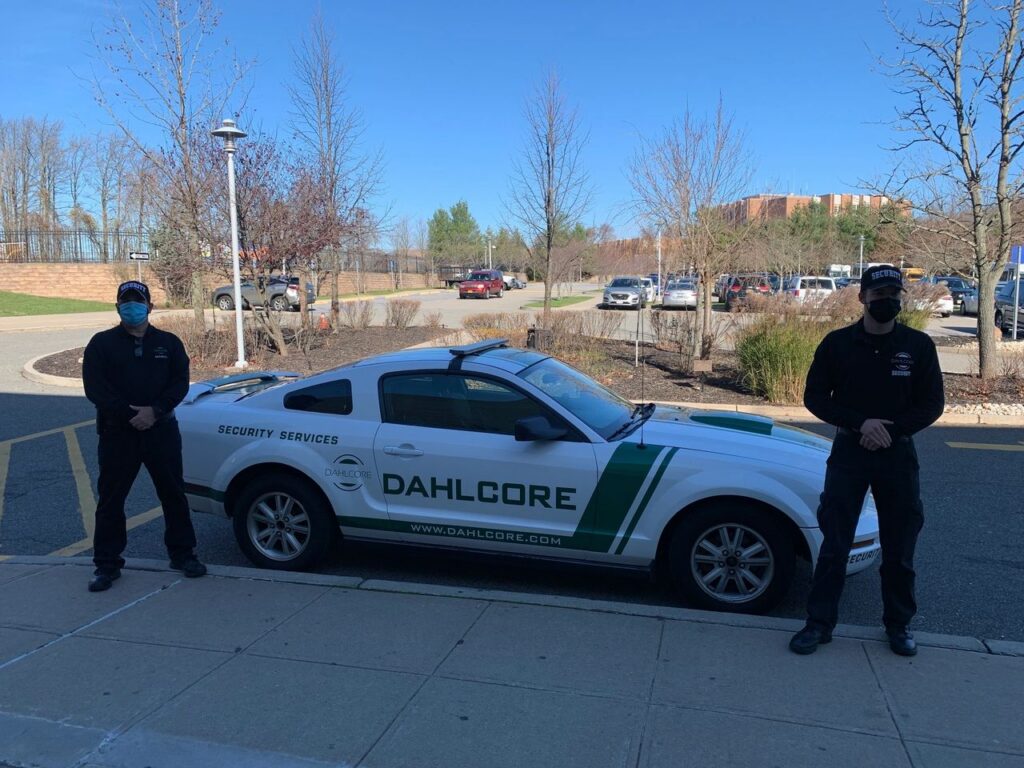
Security guard deployment adds a layer that technology can’t replicate: human judgment. A guard stationed at a high-traffic entry point can verify identity, challenge tailgaters, and respond to situations that automated systems simply flag. Dahlcore Security Guard Services specializes in this integration — pairing trained personnel with the technology infrastructure clients already have in place.
Visitor management systems bridge the gap between digital access control and front-of-house operations. Pre-registering visitors, issuing temporary time-limited credentials, and logging every visit creates a complete picture of building occupancy.
Physical security integration isn’t a backup plan for when digital systems fail. It’s the layer that makes the overall system genuinely robust.
Step-by-Step: Implementing a Robust Access Control System
Whether you’re upgrading an existing system or starting from scratch, this framework will keep the process structured and thorough.
Step 1: Conduct a Facility Security Assessment
Map every access point — doors, gates, elevators, loading docks, server rooms, and any other controlled entry. Identify which areas carry the highest risk and what level of access restriction each requires.
Step 2: Define Access Tiers
Group your access points into tiers based on sensitivity. For example:
- Tier 1: General office areas (broad access)
- Tier 2: HR, finance, and IT areas (role-based access)
- Tier 3: Server rooms, executive areas, restricted storage (strict, logged access with MFA)
Step 3: Select Technology Appropriate to Your Risk Profile
Not every building needs biometrics on every door. Match the technology to the risk level. High-security areas warrant higher-grade credentials and readers. Common areas may be adequately served by standard smart card systems.
Step 4: Choose a Reliable Platform with Strong Security Architecture
Evaluate vendors on their encryption standards, update history, customer support, and whether their platform has experienced documented breaches. Request references from comparable facilities.
Step 5: Integrate with Existing Systems
Ensure your access control platform can communicate with your video surveillance, visitor management, and alarm systems. Siloed systems create visibility gaps.
Step 6: Configure Role-Based Permissions
Build out user access levels before a single credential is issued. Default to least-privilege access and require justification for exceptions.
Step 7: Train Your Team
Administrators need to understand the platform. Front-line staff need to understand the policies — especially around tailgating, visitor escort, and lost credential reporting.
Step 8: Establish Ongoing Maintenance and Review Protocols
Set a calendar for firmware updates, access rights audits, log reviews, and annual security assessments. A secure facility access system is not a set-it-and-forget-it investment.
Future Trends in Access Control Systems
The access control space is evolving quickly, and facility managers should be aware of where it’s heading:
Mobile-first credentials are becoming the standard. Smartphones as access devices offer convenience and strong encryption, but they also introduce device management complexity that IT and facilities teams need to plan for.
AI-powered anomaly detection is being built into access control platforms, automatically flagging unusual access patterns for human review rather than waiting for someone to manually audit logs.
Cloud-based, API-integrated platforms allow access control to connect with HR systems — meaning credential provisioning and revocation can happen automatically when employees are hired or terminated.
Biometric multi-factor authentication is moving from high-security government facilities into mainstream commercial real estate as the cost of technology continues to fall.
The core principle across all these trends remains the same: the goal of secure facility access systems is to grant the right access to the right people at the right time — and to catch deviations immediately.
Conclusion
Navigating digital access control risks is an ongoing responsibility, not a one-time project. The technology is powerful, but it requires active management, clear ownership, and integration with both physical security measures and organizational processes to deliver on its promise.
The vulnerabilities are real — cloned credentials, compromised admin portals, unreviewed audit logs, and insider threats don’t resolve themselves. But with the right strategies, the right technology, and the right security partners, they’re entirely manageable.
Dahlcore Security Guard Services brings both the expertise and the field experience to help commercial property owners and business executives build access control programs that actually hold up. Proactive security isn’t a cost center — it’s the difference between a controlled environment and an unpredictable one.
Not sure where your access control system is most exposed? Dahlcore Security Guard Services offers professional security assessments for commercial properties. Contact us today to schedule your consultation.
Key Takeaways
- Digital access control systems consist of three core layers: credentials, readers/controllers, and management software — each with its own vulnerability profile.
- The most common risks include credential cloning, compromised admin portals, insider threats, outdated firmware, and tailgating.
- Effective mitigation requires a combination of technology upgrades, role-based permissions, regular audits, and policy enforcement.
- Physical security integration — including security personnel and video surveillance — is essential for a truly comprehensive security posture.
- Access control is not a static deployment. It requires scheduled maintenance, log review, and periodic reassessment to remain effective.
FAQs
1. What are the main components of a digital access control system?
The core components are credentials (keycards, biometrics, mobile devices, or PINs), readers and controllers that authenticate those credentials, and management software that administers permissions and stores audit logs. Supporting components include electric locks, door sensors, intercoms, and video integration.
2. What should facility managers look for in an access control system?
Prioritize strong encryption standards for credentials and data transmission, a reliable vendor with a consistent update and patching history, role-based access configuration capability, integration with video and visitor management systems, and cloud platforms that enforce multi-factor authentication for administrative access.
3. How can access control systems be integrated with existing security measures?
Most modern platforms offer API connectivity and direct integration with video management systems, alarm platforms, and visitor management software. The key is selecting a platform during procurement that supports open integration — and mapping out your full security ecosystem before committing to a vendor.
4. What are the costs associated with implementing digital access control?
Costs vary significantly based on facility size, number of access points, technology tier selected, and whether installation is new or retrofit. Entry-level systems for smaller facilities can run a few thousand dollars, while enterprise-grade deployments across large commercial properties can reach six figures. Ongoing costs include software licensing, maintenance contracts, and periodic hardware upgrades.
5. How often should access control systems be reviewed for security loopholes?
Access rights should be audited quarterly at minimum. Firmware and software updates should be applied as released by the vendor. A comprehensive security assessment — covering technology, policy, and physical integration — should be conducted annually or after any significant change to your facility or personnel structure.
6. How do digital access control systems work?
When a user presents a credential (swipes a card, scans a fingerprint, or uses a mobile device), a reader captures that information and sends it to a controller. The controller checks the credential against its permission database. If the credential is valid and the user has permission for that door at that time, the lock releases. The event is logged regardless of whether access is granted or denied.
7. What are the risks of digital access control?
Key risks include credential cloning (particularly with older card technologies), compromised management software through weak passwords or unpatched vulnerabilities, insider threats from current or former staff, physical tailgating, and inadequate monitoring of access logs.
8. How do I manage access control risks on an ongoing basis?
Establish clear ownership of the system — someone responsible for both technology and policy. Build credential revocation into your HR offboarding process. Schedule quarterly access rights audits, regular firmware updates, and monthly log reviews. Combine your digital system with physical security measures, including trained security personnel, for the most robust overall protection.
Check other blogs
How Long Does It Take to Become a Security Guard: Full Guide
What Makes a Good Security Guard: Key Traits and Responsibilities
Innovative Security Technologies for Modern Construction Sites
